nmap local open port scan
Deep Nmap scanning on a remote server to discover open ports and services.
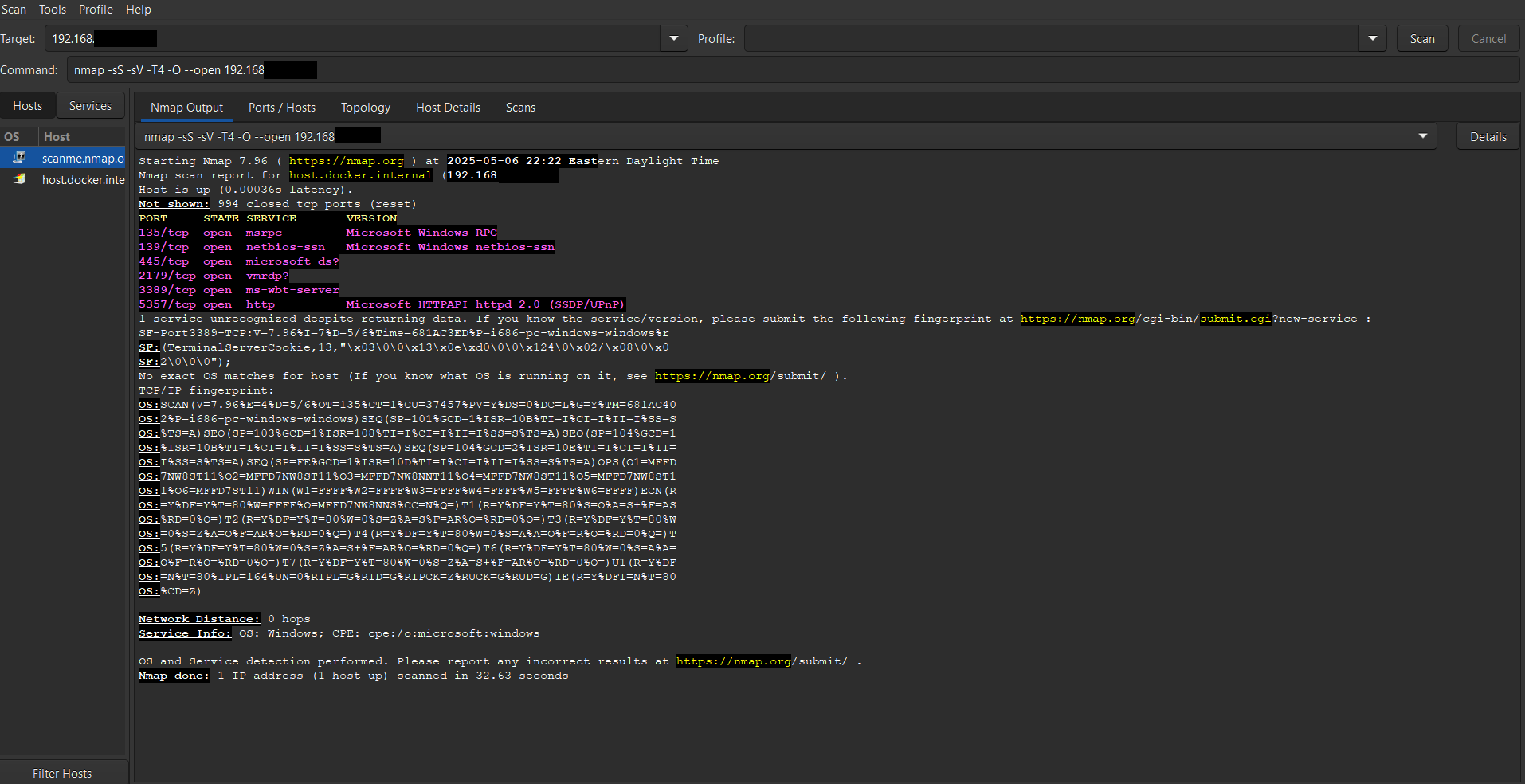 Nmap scan results from my own system showing common Windows services.
To explore network enumeration techniques, I scanned my local IP address (192.168.X.XX) using the following Nmap command:
bash nmap -sS -sV -O –open -T4 192.168.X.XX
I also used nmap -sV [IP] to scan for open ports and running services. Discovered standard ports like 22 (SSH), 80 (HTTP), and 443 (HTTPS).
This type of scan helps detect open services, potentially misconfigured servers, and opportunities for deeper analysis.
Host OS: Detected as a Microsoft Windows system
OS fingerprint: Partial match; no exact version found
Latency: ~0.00036s (very responsive)
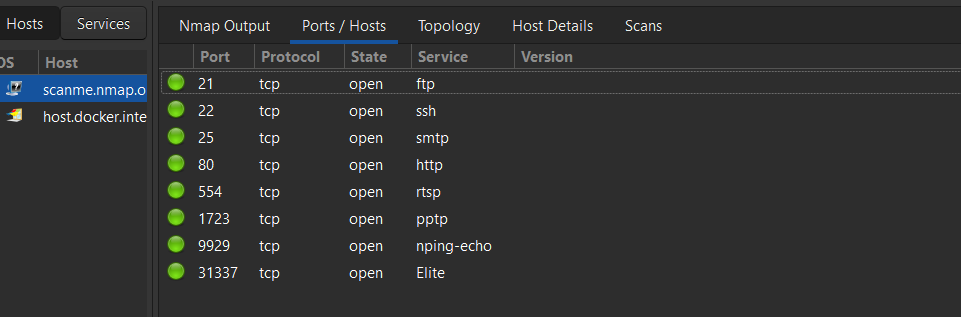 Nmap open ports.
Observations
Remote Desktop (3389) is accessible, it is a common remote access method, but a high-value target for attackers.
SMB ports (139, 445) are often leveraged in lateral movement or ransomware attacks.
Port 5357, used by SSDP/UPnP, is often overlooked and can expose internal device metadata.
OS detection returned a partial fingerprint, likely due to firewall filtering or packet suppression.
Even a personal machine ends up running more services than the user realises. Some of those services are needed, some are vestigial defaults, and some should be off entirely. The first step in hardening anything is knowing what is actually listening, which is what this kind of scan answers.
For an authorised network, the same approach gives you a working map of the attack surface before you do anything else. It is the part of recon nobody skips.